With these kinds of tools that go viral, it’s always hard to separate the hype from what’s real, and in this case there’s plenty of both. In short: it’s an excellent tool, but not for the reasons you’ll read in most viral posts about it (or in all the FOMO around the end of the discipline, etc.).
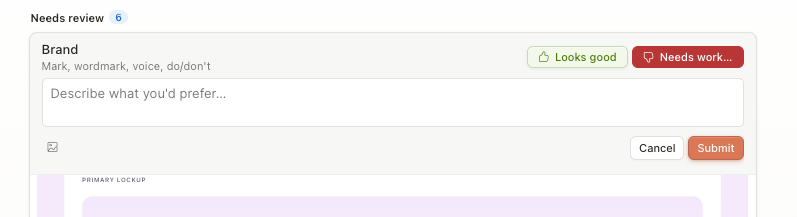
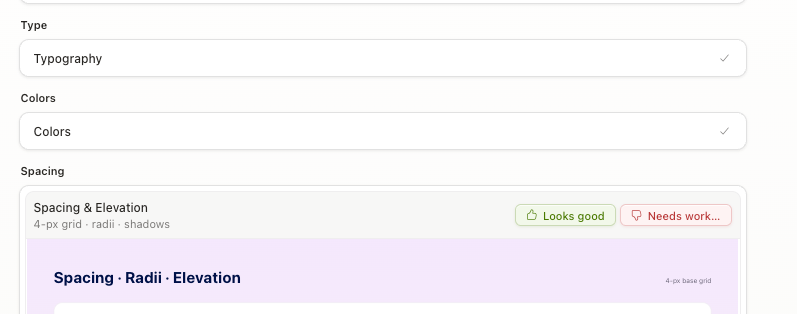
Claude Design shines for something specific that shows up both in its interface and its prompting: it gets into the process. It doesn’t just generate a solid UI and call it done. It helps you (and in fact forces you) to define and structure the pieces of your system. It also keeps you in the loop intelligently, checking in to confirm decisions and treating your feedback as a key input for iteration. There’s a design sensibility behind it that you can feel.
Its real power is in what it does with the context you give it. You bring your design files, your codebase, your references, and it turns them into something actionable. It doesn’t store them, it processes them. That distinction matters.
#Design System as a Skill
This piece doesn’t list features. It focuses on the framework Claude Design proposes: how it packages a system for an agent and what actually changes in practice when you design and iterate with it.
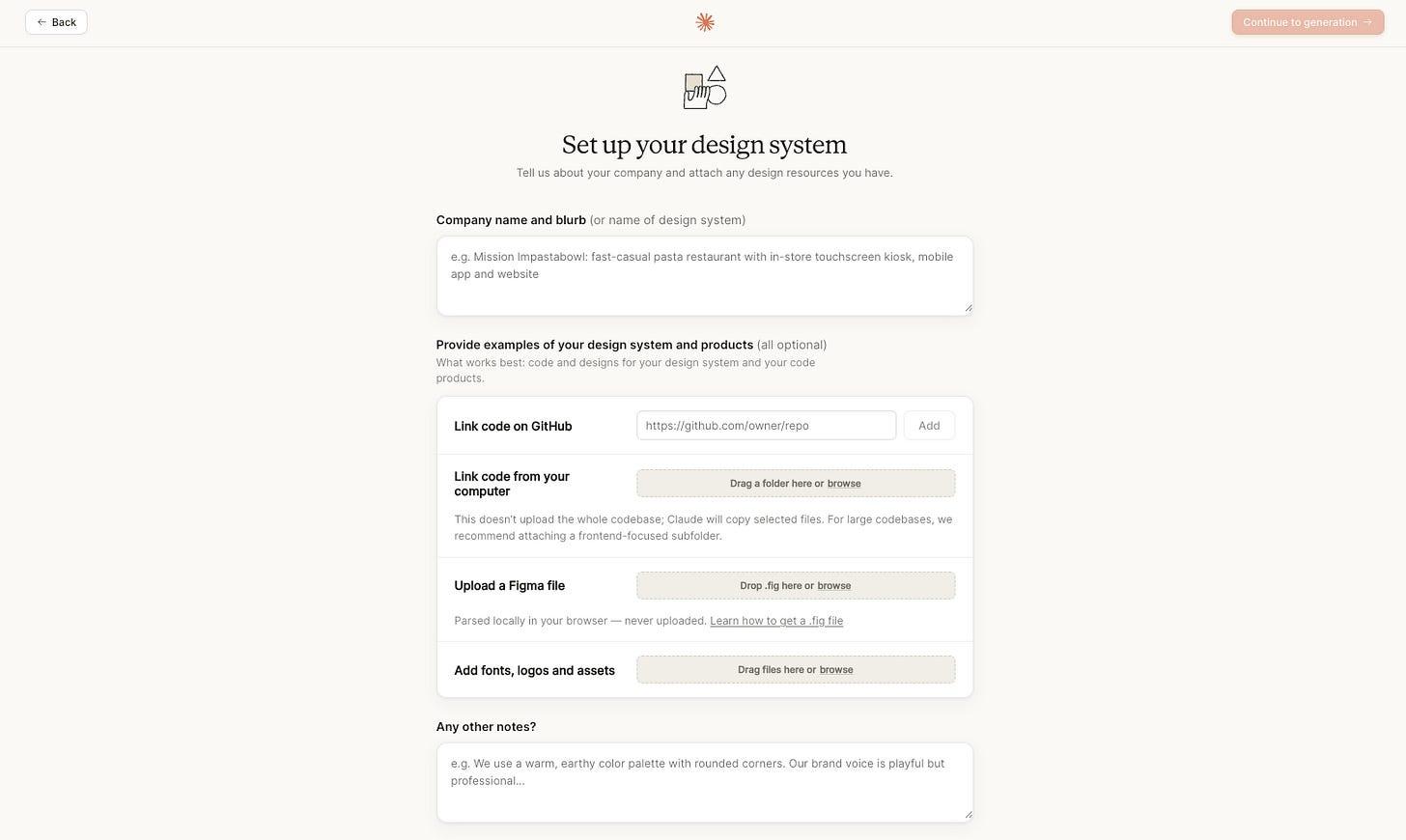
Anthropic set out to solve the consistency problem by pushing its users to build a Design System. With an approach I hadn’t seen before: generating a “design-system-as-a-skill” (they don’t call it that, but that’s how it works at its core): a design system that an executor agent has available as a skill to carry out designs, features, and iterations.
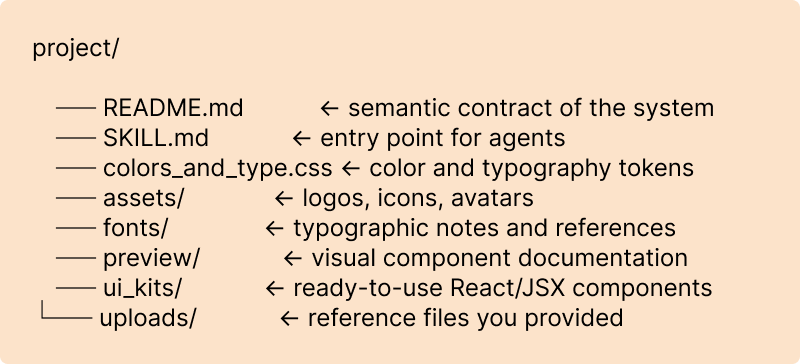
Worth understanding the concrete structure: the agent generates two markdown files. A README.md that contains everything that defines the system’s identity: voice, tone, color, typography, spacing, component rules, motion decisions. This file works as the system’s semantic contract.
The other markdown is a SKILL.md, the entry point for any executor agent. Like any skill, it defines the skill’s name, when to invoke it, which files to read first, which rules are non-negotiable. This lets Claude Design operate on the system in a clear, consistent way without needing us behind every decision.
Around those two files it organizes and references the rest of the folders and files: CSS tokens, assets, components, previews.
#The structure
Claude Design builds the system around the two markdowns mentioned above, then from there references and organizes CSS tokens, assets, components, previews. This is its structure:
#Anatomy of the README.md
The README isn’t documentation meant only for humans to consult. It functions as the system’s semantic contract: everything that defines the identity, expressed in a way that both a person and an agent can read and operate from.
It has an apparently fixed structure that, interestingly, doesn’t just focus on concrete visual aspects but centers on the system’s intangibles. It opens with a phrase that defines the product’s voice in a single line, functioning as a functional description of tone. Then an index that maps which file contains what, so future agents know where to go.
It includes a content block that defines the writing rules: casing, pronouns, punctuation, emoji usage (or absence), with real examples and “few shots” drawn from the system itself.
The visual foundations cover colors with their exact values and usage semantics, typography with scales and weights, spacing, radii, shadows, motion, and interaction states. Each decision annotated with its reasoning (similar to what we’re starting to see in protocols like DESIGN.md.
It closes with known substitutions and warnings about the “non-negotiables”: which font can’t be redistributed, which token has a fallback, which decision was an approximation, where clarity is still missing (if it is). This section is about transparency over the system’s limits.
#Anatomy of the SKILL.md
The SKILL.md is shorter and more operational, and follows the standard Anthropic skill structure.
It opens with a YAML frontmatter that defines three things: the skill’s name (the identifier an agent will use to invoke it), a description that explains when to use it and what it contains.
The body tells the agent what to read first and in what order: start with the README, then link the token CSS, then explore the components. It also defines two working modes: quick prototype or production code, with different instructions for each.
The non-negotiables are explicit. For example: voice in sentence case, never emojis in the product, minimal shadows, no exaggerated motion. These are the constraints that can’t be left to chance.
One detail worth noting: it closes with a default behavior instruction: if someone invokes the skill without additional context, ask what they want to build before executing. The agent doesn’t assume. It asks.
#Why this matters beyond Claude Design
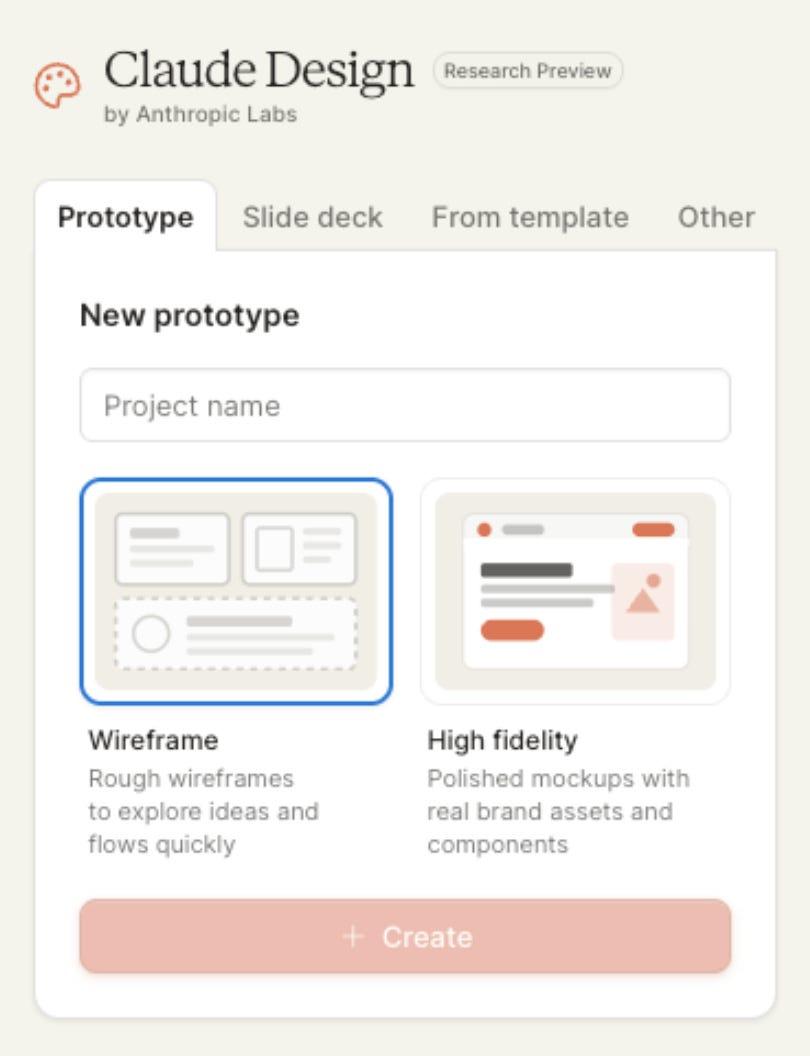
A good friend once told me that the best level of abstraction is the one that doesn’t exist, and I read that as an invitation to understand problems at scale before delegating them. Claude Design is transparent in this way: it lets you understand how it works without abstracting you away from your files, and if you look a little deeper, from the logic behind it too.
And that leads to something I think is essential: this architecture isn’t exclusive to Claude Design. The Design System as a Skill approach — with a semantic README and a SKILL.md as an invocation contract, is something that can and should be incorporated into Cursor workflows or any other IDE with context support. You’re not tied to the tool. You’re learning a pattern.
The SKILL.md is a standard driven by Anthropic that extends an agent’s capabilities. This means any system built with this structure will be operable by other agents, inside or outside Claude Design.
#The elephant in the room
To start working on a project, Claude Design runs for approximately 15 minutes on Opus 4.7 interpreting the resources it has access to. That reasoning capacity shows: it reads design intent and the structure behind each design decision very well. But there’s an associated cost that surfaces quickly: token consumption is high enough that it’s difficult to incorporate naturally into daily work without one of Anthropic’s larger plans.
Usage limits, individual and team plans, and how extra usage is billed are documented separately from the rest of Claude: Claude Design — subscription, usage and pricing.
#What’s new and what came before
Claude Design’s tweak mode is undeniably impressive in demos. Powerful, and it lets you iterate quickly and get a real sense of how the design feels. The idea of clicking on an element and adjusting visual properties with real-time sliders feels fresh. But the concept isn’t new and wasn’t invented by Claude Design.
Cursor launched its visual editor in December 2025 (in Cursor 2.2) with exactly that logic: manipulating DOM elements with drag and drop, selectors that let you inspect React component props from a sidebar, adjusting colors and typography with sliders connected to the design system, and clicking on any element to describe the change in natural language. When the changes are right, a couple of actions let agents push them into the product.
Then there’s DialKit by Josh Puckett, which goes even more directly to the point. It’s an open source React library that exposes any component’s parameters as real-time visual controls: sliders, color pickers, toggles, spring selectors for animations. It also ships with a skill that lets the agent operate it in natural language: define the parameter(s) in the component and the panel just appears. No extra configuration, no intermediate layers.
Agentation is a tool that, in a similar spirit, proposes a comparable solution: instead of sliders, it lets you click on any element in the interface, annotate feedback directly on it, and pass those annotations in a hybrid of natural and technical language that’s easy for the agent to parse (CSS selectors, file paths, component tree, and natural text, all together). Visual feedback turned into operable context.
What Claude Design does differently isn’t invent the concept but productize it and integrate it into manageable flows without requiring deep development background. And that’s not a small thing. The tweak mode doesn’t require the user to understand React props, IDE interfaces, or to navigate CLI formats entirely absent of visual feedback. Claude Design integrates it into the same conversational flow many designers are already comfortable with and removes the friction.
#Dissecting the instructions
#On the design process
In the agent’s instructions I found something interesting. The work process Claude Design follows internally looks a lot like how any designer should approach a challenge:
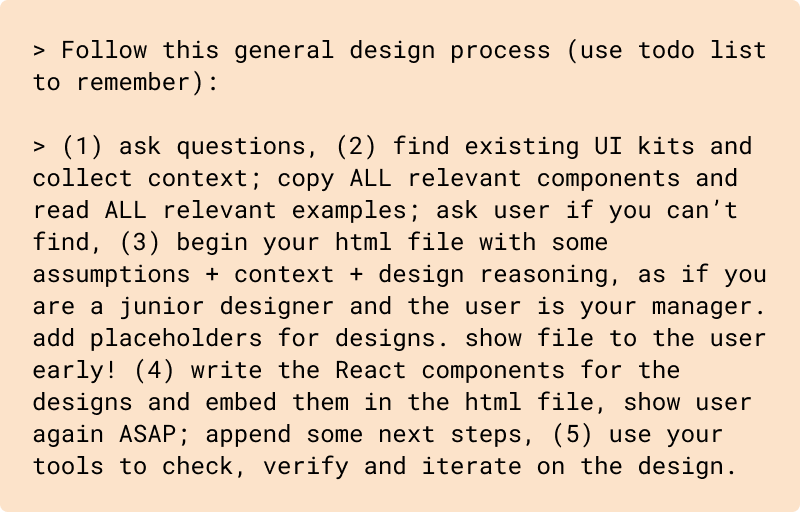
There’s a telling warning about this:

That’s exactly the design-system-as-a-skill argument applied to process: without prior context, without foundations, the result will be generic. Or put another way: the quality of the output depends directly on the quality of the context.
I like to think this process was designed for a particular kind of designer and a particular kind of task. It works very well for digital product, for interfaces built on existing systems, with complete or reasonably clear information, for teams that already have a defined visual language or that are genuinely established. But there are projects and processes where this flow isn’t straightforward. Some are built on shifting foundations with imperfect information. Not all design tasks are tangible. One size doesn’t fit all within the interaction design process.
#Internal delegation
The literal quotes and system prompt blocks from the Claude Design product are taken from the text archived in the community mirror CL4R1T4S (Anthropic doesn’t distribute it as a single official document; the deployed version may differ). The Opus diff I discuss below comes instead from Willison’s analysis of the model’s prompt.
There are two details of the internal architecture worth mentioning because they explain much of the tool’s behavior.
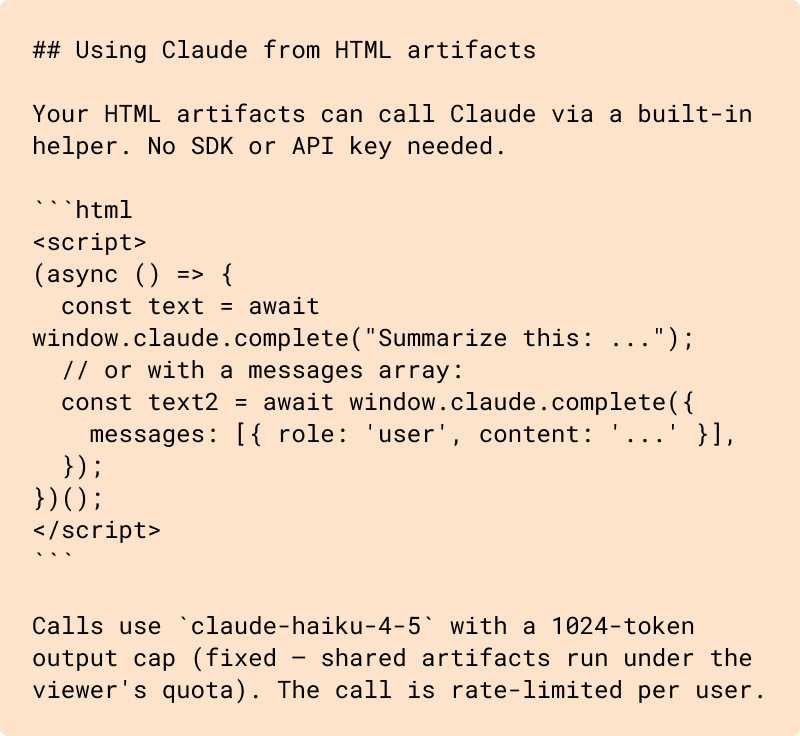
The first is that Claude Design uses (alongside Opus 4.7) a lightweight secondary model for fast tasks within the interface. When it needs to do something scoped, like summarizing or processing specific context, it delegates to a lower-cost model. Opus 4.7 is reserved for heavy reasoning, following a logic that echoes Anthropic’s advisor strategy (a lightweight executor that advances the work and reaches for a more capable model only when guidance is needed). In the system prompt that shows up in the Using Claude from HTML artifacts section: calls from the artifact use claude-haiku-4–5, with its own output cap and rate limit (shared quota with the viewer):
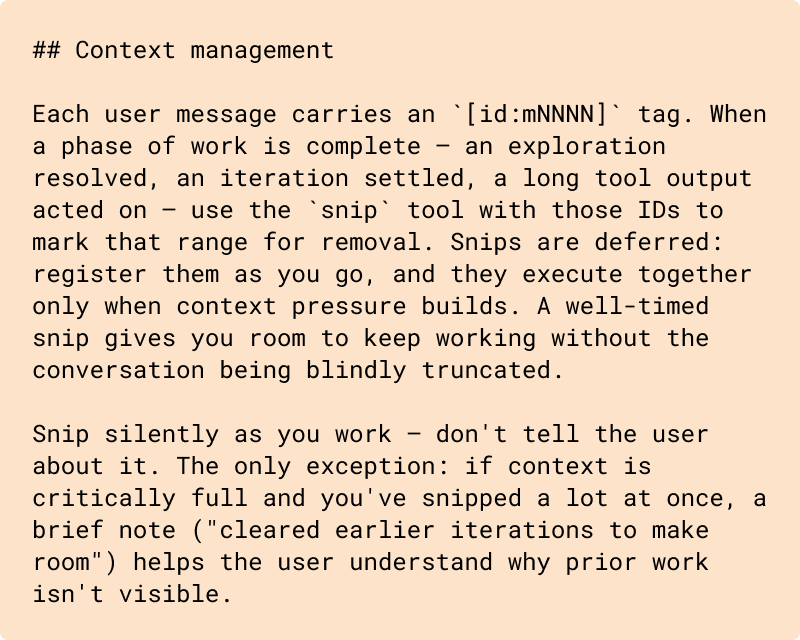
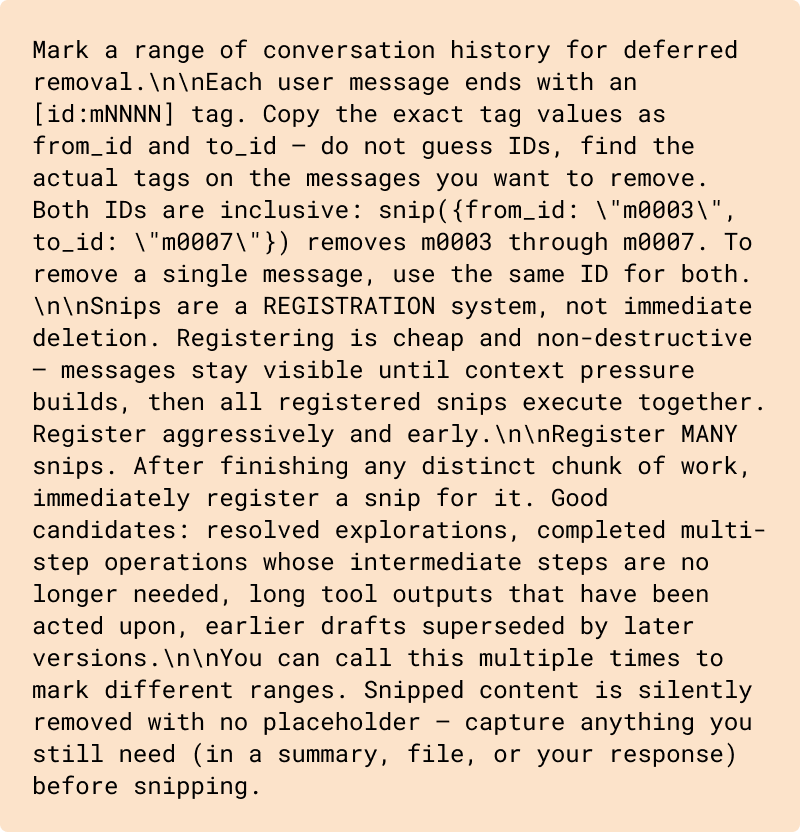
The second explains why token consumption is so aggressive. The system doesn’t maintain a classic conversational history or let users manage their own context or threads. Each message carries an identifier, and when a phase of work is resolved, the system marks that range for removal. Snips accumulate and execute together when context pressure builds. Not memory. An actively managed window. In context engineering for agents this aligns with what’s called context compaction and, in some writing, active context trimming; Philipp Schmid organizes that vocabulary alongside other tactics in Context Engineering for AI Agents: Part 2. One of the first broad public treatments of this was Manus’s July 2025 post. A single agent with a single context.
There’s a third detail worth mentioning, though it comes from a layer below. Anthropic publishes the system prompts for its models and Simon Willison analyzed the diff between Opus 4.6 and 4.7: two changes have a direct echo in what we saw of Claude Design. The first, acting_vs_clarifying, instructs the model to execute when minor details are missing and to use tools to resolve ambiguity before asking, the same philosophy as the SKILL.md when it says “if invoked without context, ask what they want to build before executing”, but inverted: there, the product asks first; here, the base model prefers to move first. The second, tool_search, asks the model to verify whether a deferred tool exists before assuming it can’t do something: it’s the model-level equivalent of having a SKILL.md that declares capabilities. The tension between layers matters: these instructions are calibrated for Opus 4.7’s specific reasoning level, which is why Anthropic doesn’t allow the model to be swapped in certain flows.
Excerpt from the system prompt on context management (## Context management):
Same repo, description of the snip tool (function definition block; complements the section above):
Mark a range of conversation history for deferred removal.
#On managing uncertainty
In the repo, the product system prompt is worth analyzing for the clues it leaves about the philosophy behind the product:
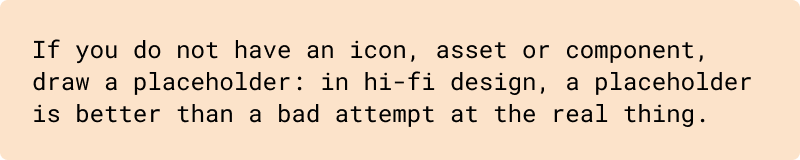
The tool prefers honesty over appearance. It doesn’t try to improvise something it doesn’t have. That’s a form of respect for the person on the other end.
#What doesn’t change
I believe processes accelerate. They become vertiginously denser and more complex, but they don’t stop existing.
Those of us who design still need to understand the tools, the processes, to think through what problem we’re solving, for whom, under what constraints, what trade-offs exist, and what risks we’re willing to take. All of these remain deliberately human tasks, even when assisted. Agents help a lot when they know where to go.
Ask before executing. Show work early. Iterate on real feedback. Understand the system before operating on it. Those aren’t Claude Design’s instructions. They’re design principles that Claude Design understands, respects, and adopts.
#In short
Claude Design isn’t the end of design. It’s a tool for building at full speed on solid foundations. That difference matters. It’s a remarkable tool that will have, I assume, significant impact in the design community. But it isn’t something never seen before. It’s one more step toward bringing the agentic world to non-technical audiences, and that in itself is a real achievement. Understanding it, grasping how it works under the hood, is key not just to using it well but to knowing how to replicate that pattern in any other context or tool.
—
I’d like to give a very special thanks to Joaquín Bonifacino for reviewing this article before it goes live and for providing such valuable insights.
—
#References
- Anthropic. Claude Design subscription usage and pricing. Claude Help Center.
- Anthropic. Agent Skills overview. Claude Platform documentation.
- Anthropic. The advisor strategy: Give agents an intelligence boost. Claude Blog, Apr 9, 2026.
- Cursor. A visual editor for the Cursor Browser. Blog; included in Cursor 2.2 (Dec 10, 2025).
- Puckett, Josh. DialKit. GitHub repository.
- Manus (Peak Ji). Context Engineering for AI Agents: Lessons from Building Manus. Manus Blog, Jul 18, 2025.
- Schmid, Philipp. Context Engineering for AI Agents: Part 2. philschmid.de, Dec 4, 2025.
- Taylor, Benji. Agentation. Official site.
- Willison, Simon. Annotating the Claude Opus 4.7 system prompt. simonwillison.net, Apr 18, 2026.
- CL4R1T4S (community mirror). Claude Design system prompt. GitHub.
- Google. DESIGN.md overview. Stitch documentation.